


Optimize Your Resume for a Specific Job with CareerZenith
Once you have reached a readiness rating of good-excellent on your resume.
(click here to understand readiness rating)
CareerZenith’s Job Optimization feature helps you compare your resume against a specific job or job description, check your Job Match Score, and improve the resume for that particular opportunity.
What is Job Optimization?
A good resume can still perform differently for different roles.
For example, the same resume may be a strong fit for a Frontend Developer role but a weaker fit for a Full Stack Developer role because the required skills, technologies, and experience are different.
Job Optimization helps you understand this difference before you apply.
Option 1: Check Job Match directly from the Job Board
If you are browsing jobs on the CareerZenith Job Board, you can check how well your resume matches a particular opportunity directly from there.
CareerZenith uses your Active Resume to calculate the Job Match Score.
(click here to understand how to set an Active/Primary Resume)
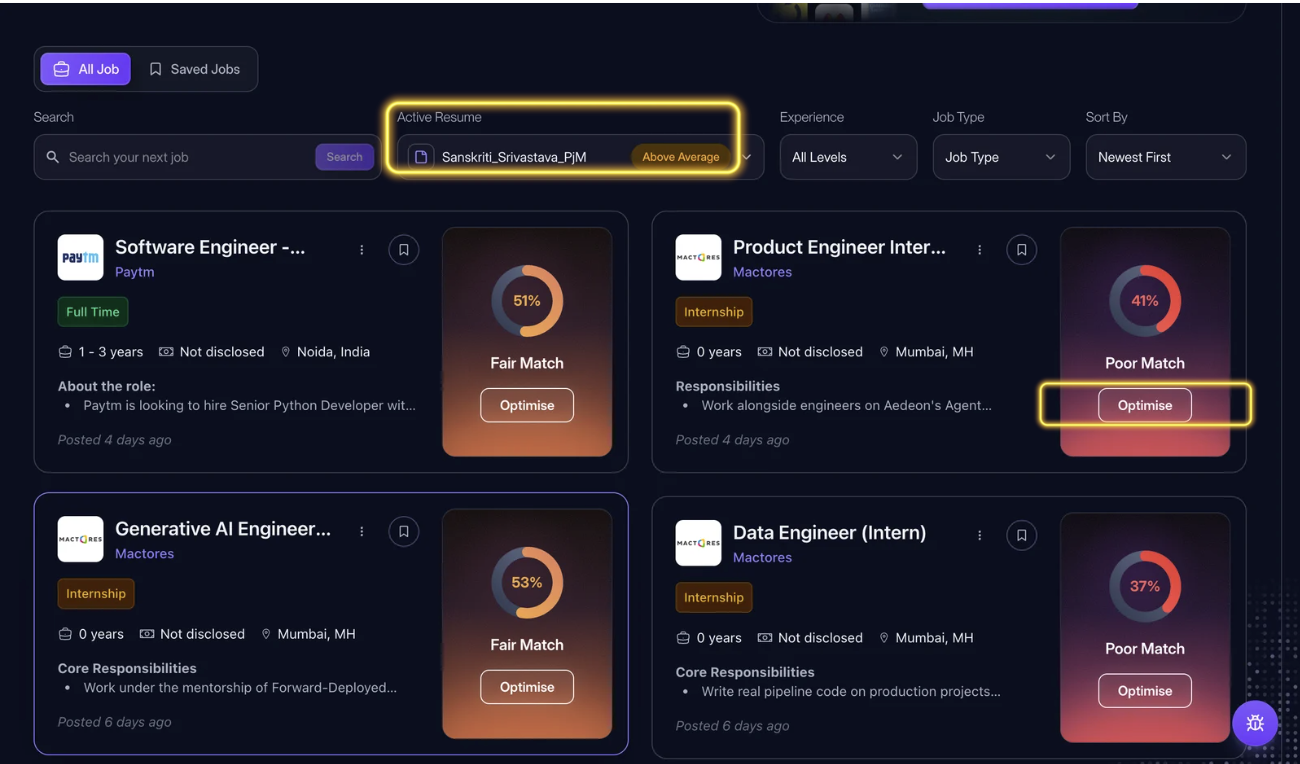
So the flow becomes:
Find a job → Check Match Score → Review alignment → Optimize Resume → Apply
This is useful when you are actively browsing multiple jobs and want to quickly understand which parts of your resume may need attention before applying.
Option 2: Optimize a specific resume
Sometimes you may not want to use your Active Resume.
You may already have a particular resume version that you want to tailor for a specific job.
In that case, select the resume you want to work with and open Job Optimization.
You can then choose the relevant job or add the job description you want to optimize against.
This is especially helpful if you maintain different resume versions for different roles.
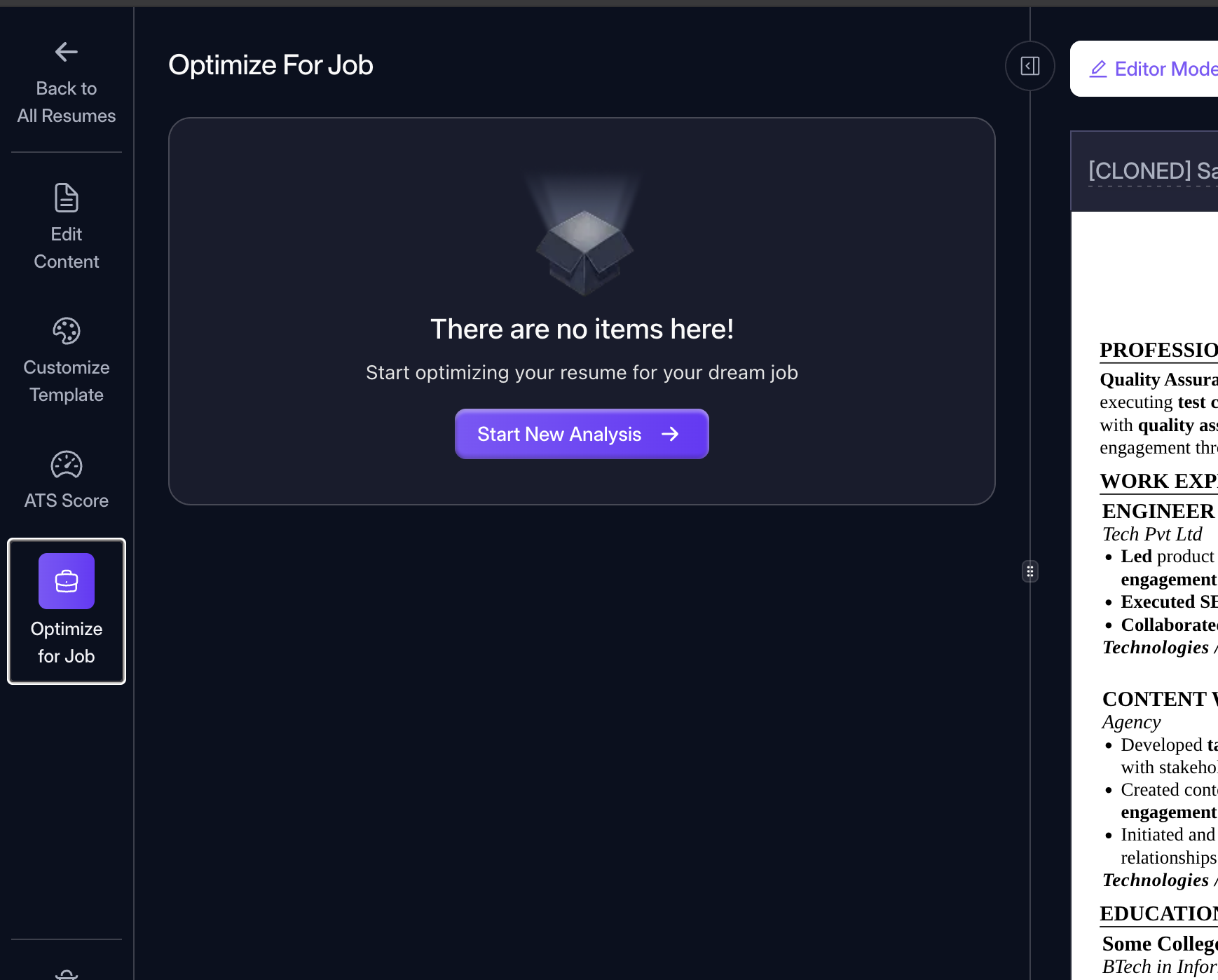
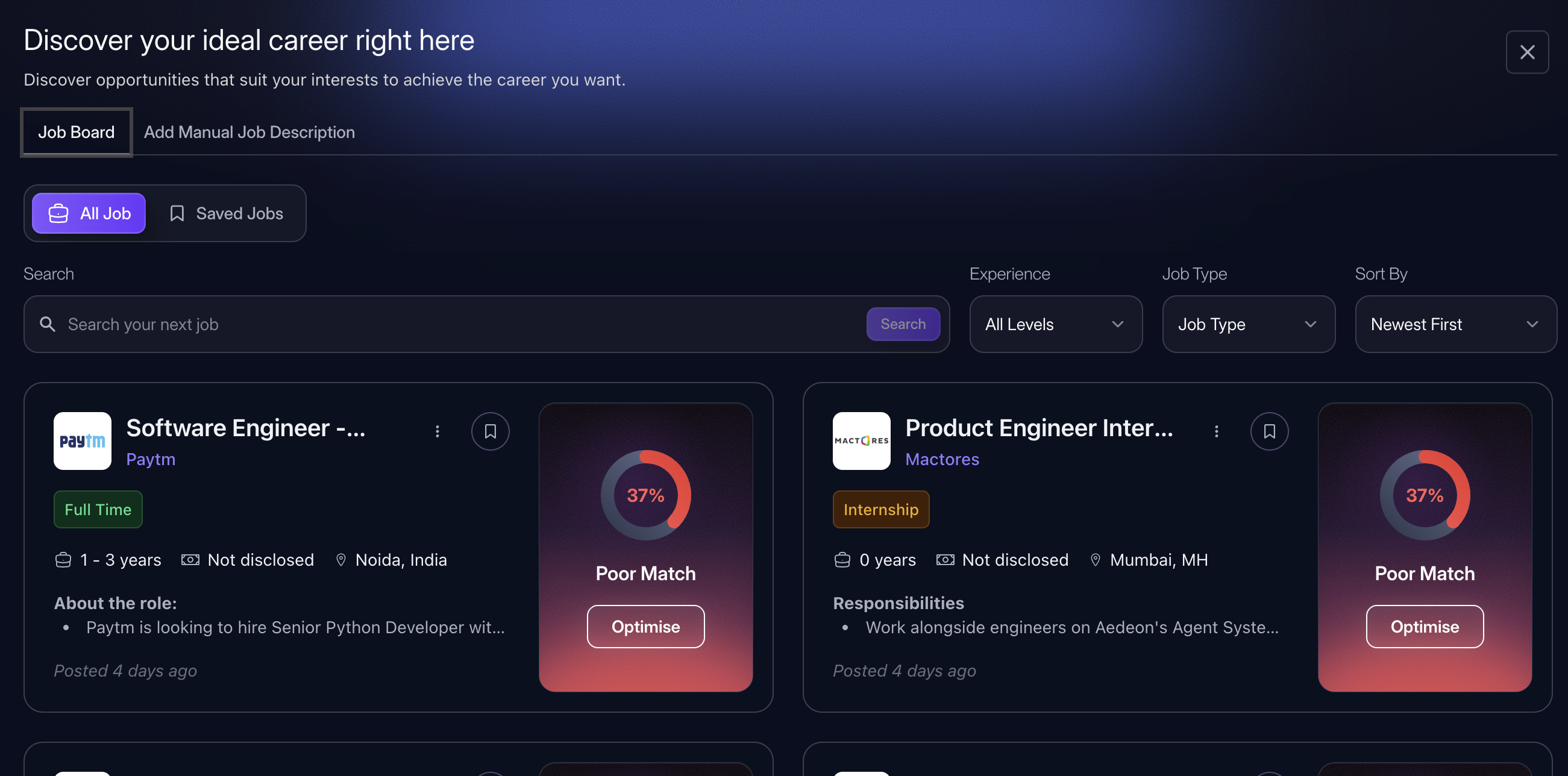
Using this feature also allows to optimise your resume for a job description that might not be posted on CareerZenith Job board.
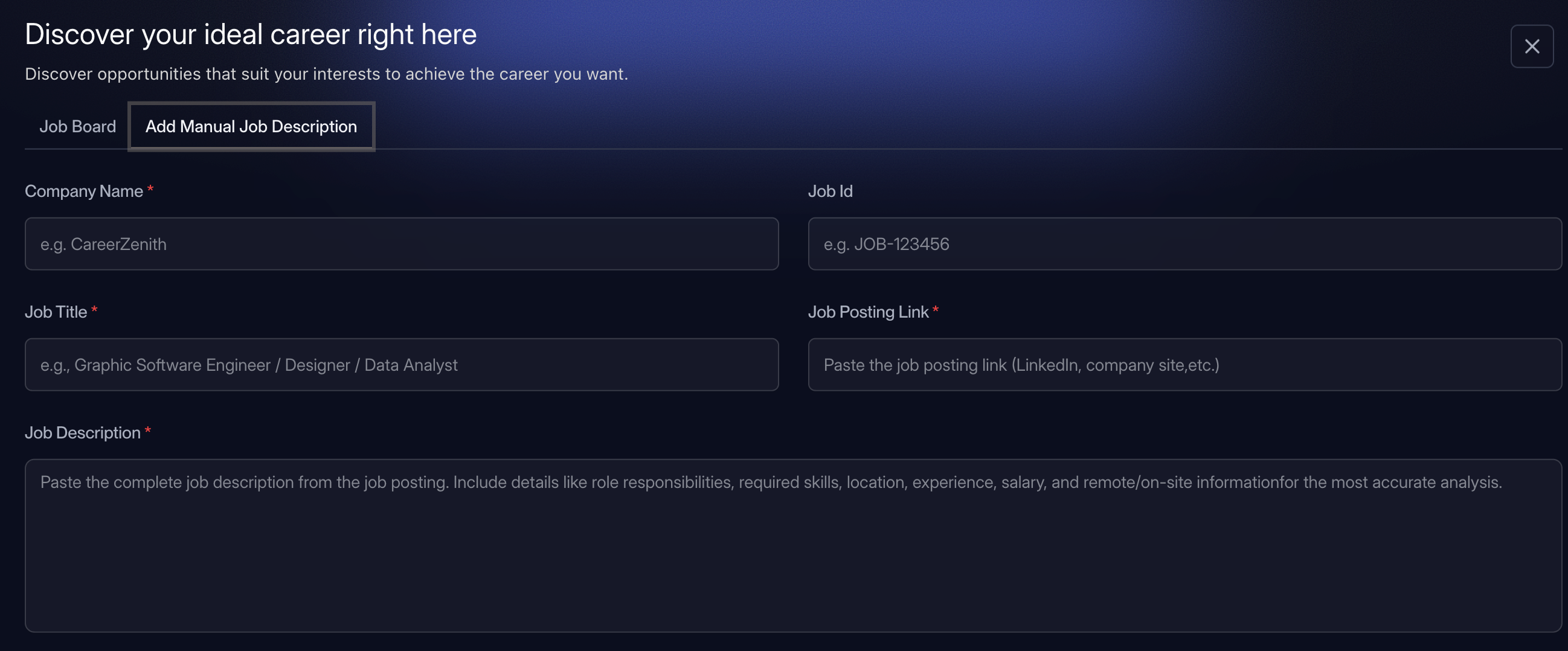


Discussions