

Learning Resource

How to Edit Your Resume Content (CareerZenith Guide)
Once your resume has been created or uploaded, you can update its content anytime without having to rebuild the resume.
CareerZenith gives you multiple ways to make changes, depending on how you prefer to work.
Use the “Edit Content” Panel
The easiest way to make structured changes is through the Edit Content panel.
Here, your resume information is organised section by section
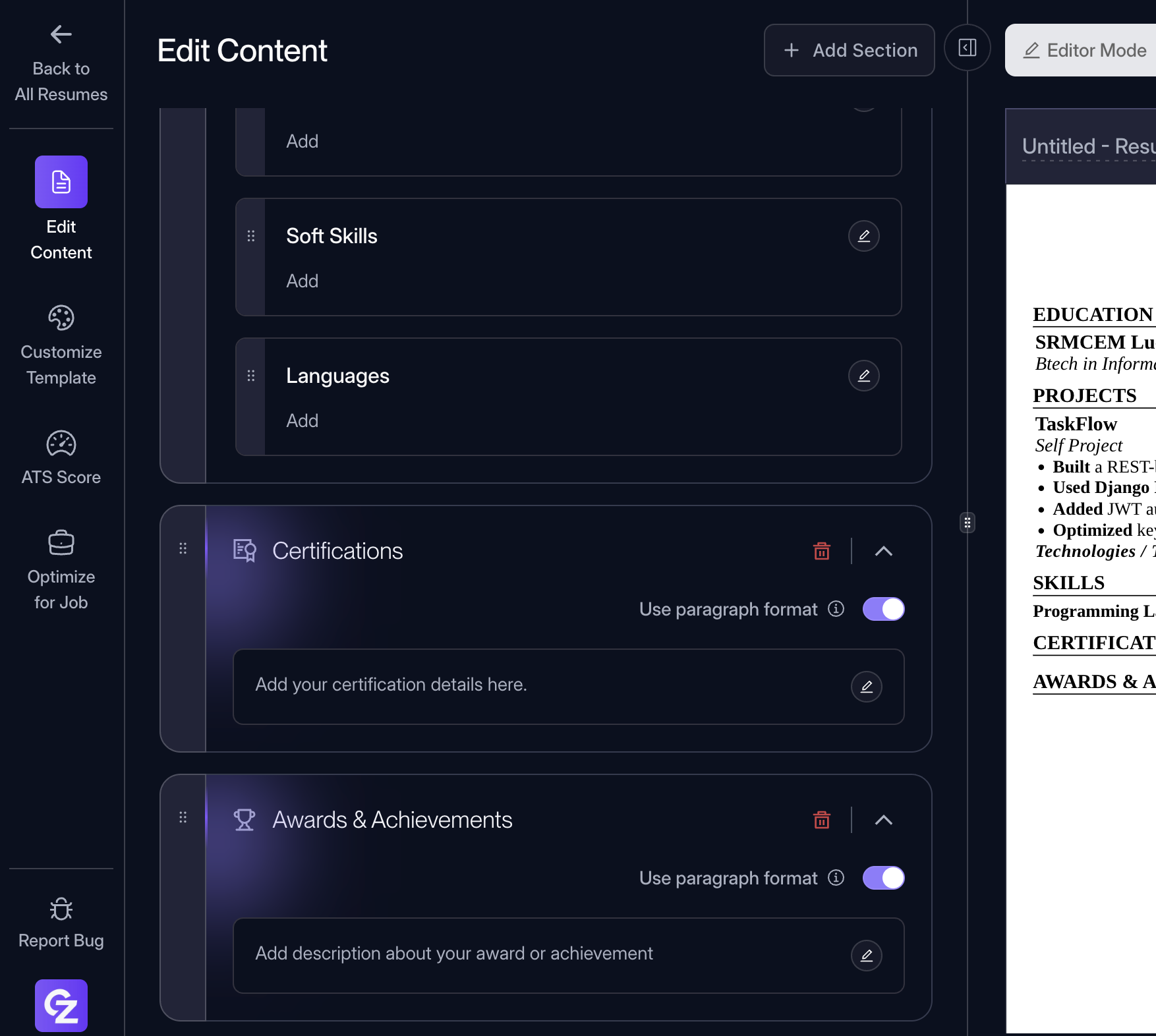
Select the section you want to change and update the relevant fields.
You don't always need the side panel
CareerZenith also lets you edit your resume more naturally.
In Editor Mode, you can click directly on the resume and type or modify content without constantly opening the Edit Content panel.
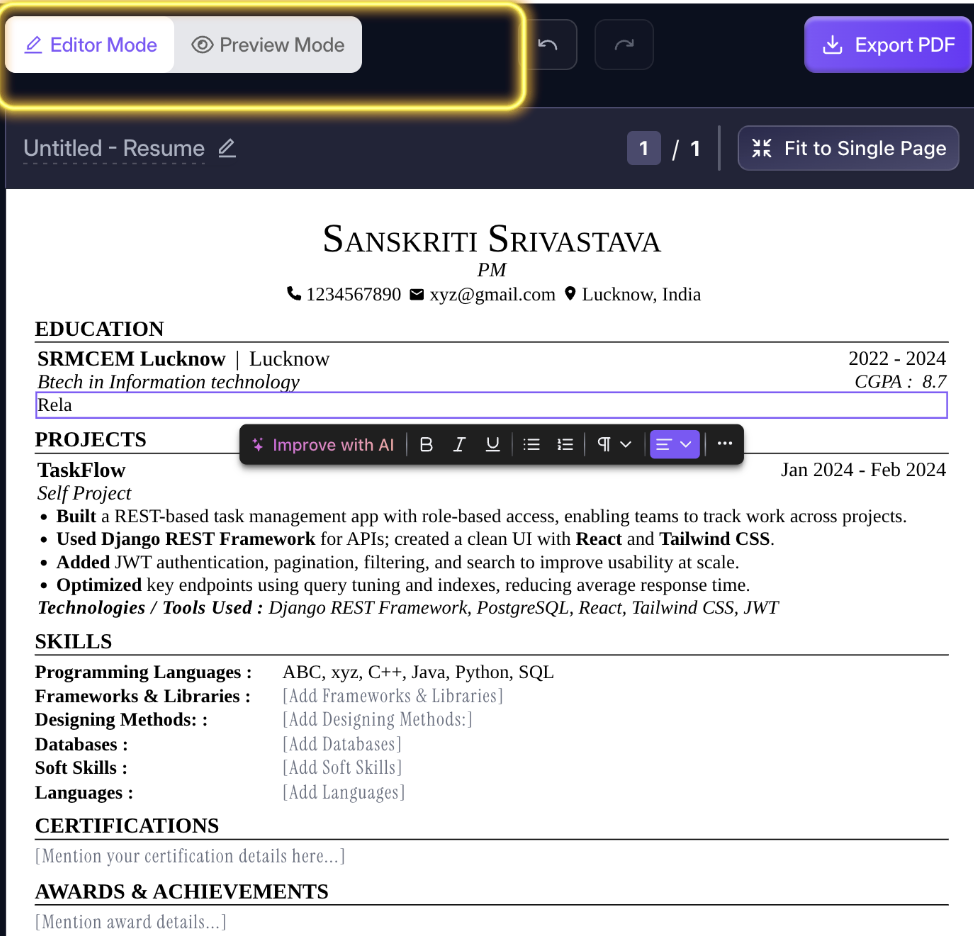
So there are essentially two ways to edit:
Edit Content Panel → Better for structured changes
Directly on the Resume → Better for quick text edits
#ResumeBuiling#CareerZenith#EditContent
098 views


Discussions