


CareerZenith Guide to Resume Building (Readiness Rating)
What is the Resume Readiness Rating on CareerZenith?
Before optimising your resume for a particular job, you first need to make sure the resume itself is complete and follows basic resume best practices.
That is what CareerZenith’s Readiness Rating helps you do.
Think of it as a basic resume hygiene check. It looks for common issues that can make an otherwise good resume feel incomplete or difficult to evaluate.
How do I improve my Readiness Rating?
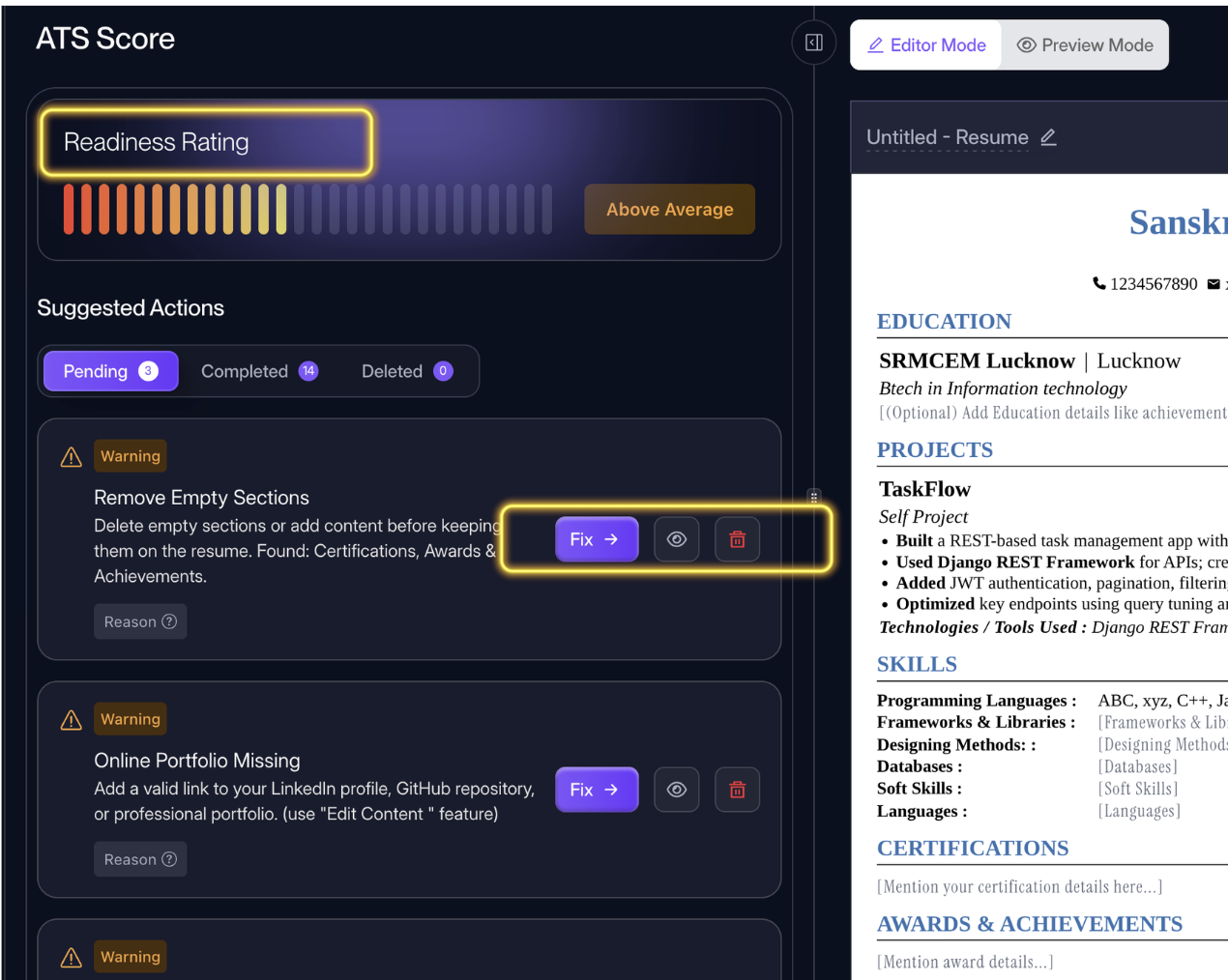
Under Suggested Actions, CareerZenith shows the improvements you can make to your resume.Click Fix, or the Eye Icon on any suggestion; You will be taken directly to the relevant part of your resume where you can make the required change.
Work through these suggestions one by one.
As you resolve issues, they move from Pending to Completed, and your Readiness Rating improves.
How can you Remove/Ignore a suggested change?
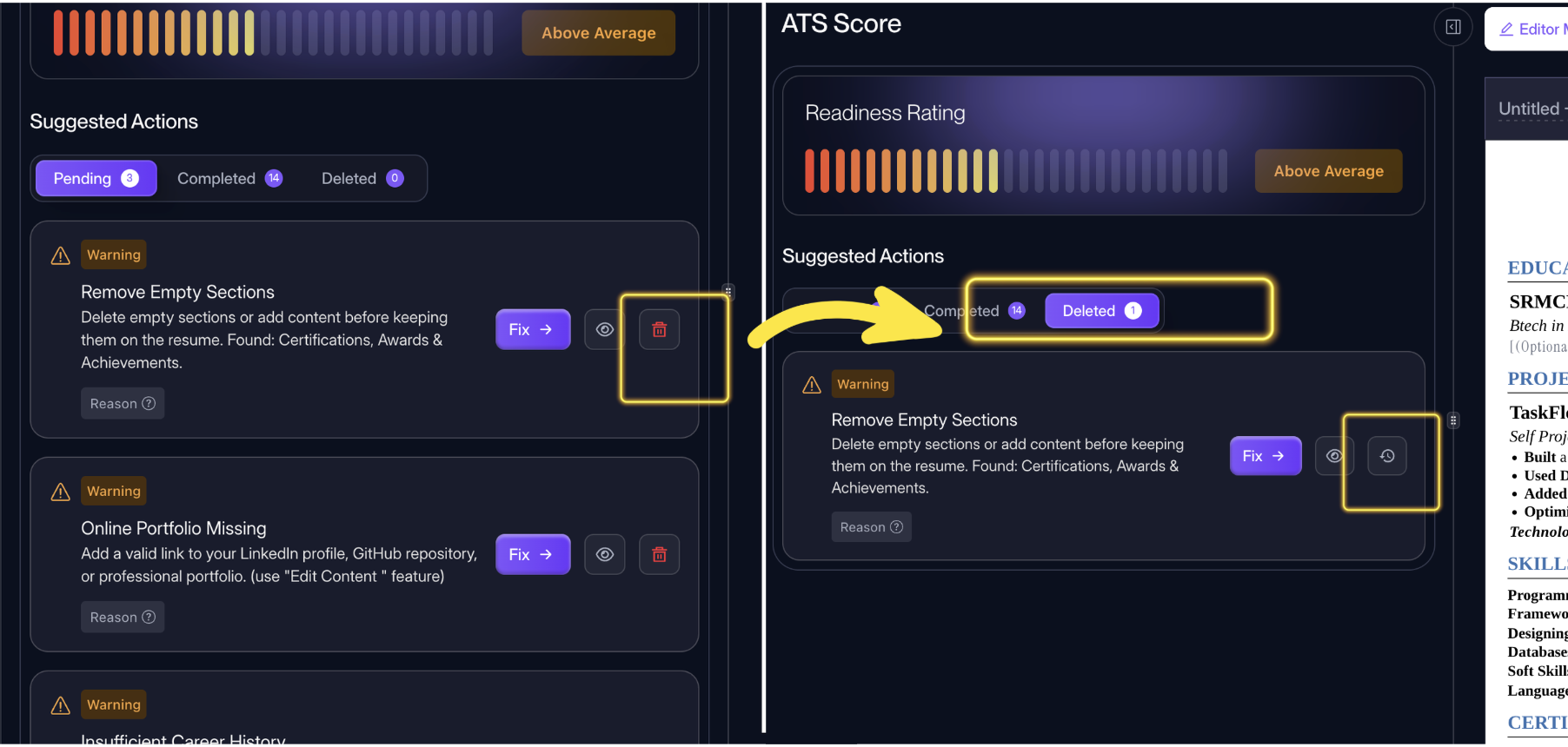
That's it, just use the delete icon to ignore the suggestion; and later bring it back using the Restore Button.
Should you fix every suggestion?
Use the suggestions as guidance, not as a reason to add irrelevant information.
For example, if you genuinely do not have any certifications, you do not need to invent one simply to keep a Certifications section. In such a case, removing the empty section would make more sense.
The goal is to create a resume that is complete, relevant and easy to understand.


Discussions