

Learning Resource

How to add a Custom Section in Resume? (CareerZenith Guide)
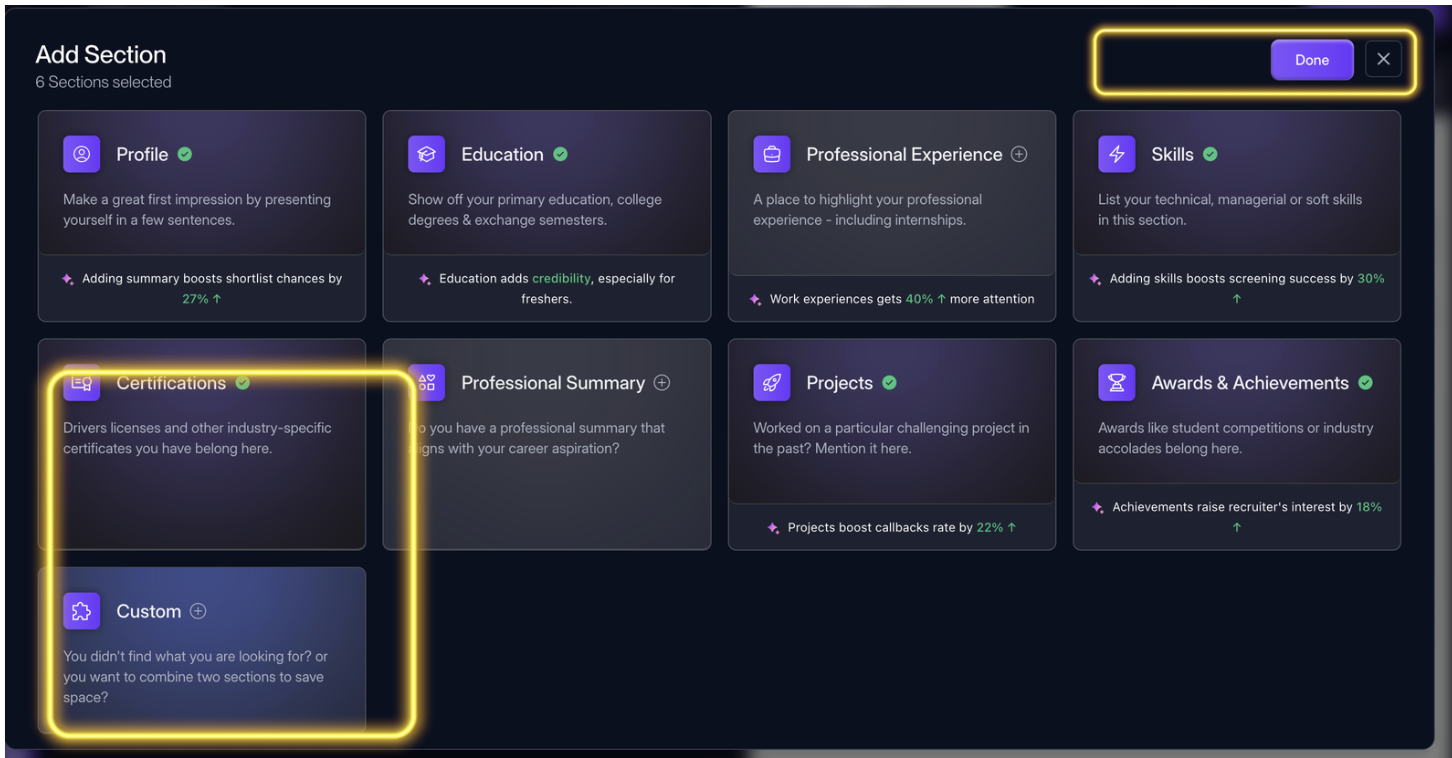
If your resume needs a section that is not already available by default, you can create a Custom Section.
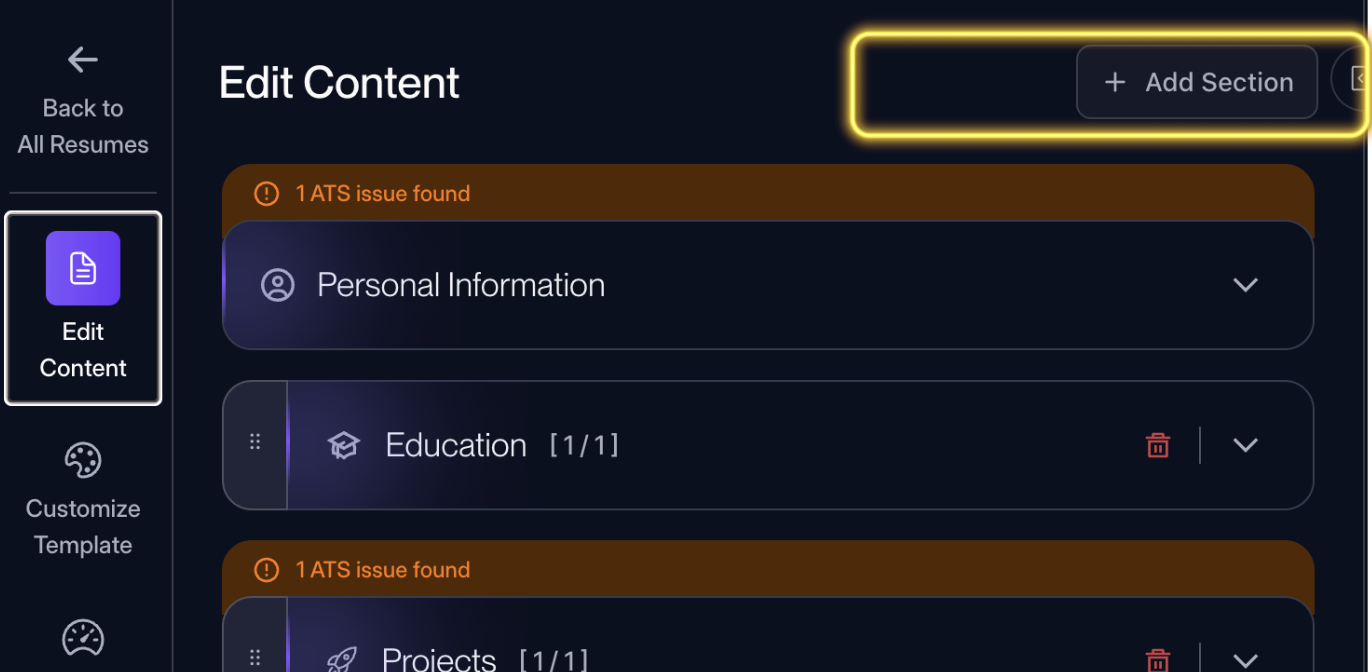
Open the Edit Content panel, choose the option to add a custom section, give it a suitable heading, and add the required content.
Edit Content -> Add Section -> Custom -> Done
#ResumeBuilder#CareerZenith#CustomSection
0168 views


Discussions