


The short answer
The best free resume builder in 2026 is CareerZenith: free for everyone, freshers and working professionals alike, with unlimited resumes, editing and PDF downloads, a one-page ATS-friendly structure, ATS scoring and job tailoring. Other genuinely free options are FlowCV (one resume, unlimited PDFs), Reactive Resume (open source) and Canva (best for design-led roles). Zety and Resume.io let you build for free but only download a plain TXT file unless you pay.
Contents · 14 sections
- Free plans compared at a glance
- How I compared them
- The 8 best free resume builders, reviewed
- 1. CareerZenith: best for freshers and working professionals
- 2. FlowCV: best if you only need one resume
- 3. Reactive Resume: best fully free, open-source option
- 4. Canva: best for design-led roles
- 5. Overleaf (LaTeX): best for CS students who know LaTeX
- 6. Novorésumé: fine for a first one-page resume
- 7. Zety: free to build, paid to download
- 8. Resume.io: free to build, paid to download
- Which free resume builder should you pick?
- FAQs
- Why CareerZenith is my top pick
Most "free" resume builders stay free right up until you click Download. You spend 40 minutes typing in your details, pick a template, and then see a paywall or a 7-day trial that quietly turns into a monthly subscription.
I tested 8 resume builders to answer one question: what can you actually do for $0? For each free plan I checked downloads, file formats, page limits, watermarks, ATS-friendliness and AI features.
Free plans compared at a glance
Five of the seven other tools give you a formatted PDF at no cost and with no time limit. Zety and Resume.io only give you a plain text file.
| Tool | Free PDF download? | Free resumes | Main free-plan limit | Best for |
|---|---|---|---|---|
| CareerZenith | Yes, unlimited | Unlimited | Minimal templates; no graphic-heavy designs | Freshers and professionals who want a one-page, ATS-friendly resume |
| FlowCV | Yes, unlimited, no watermark | 1 resume + 1 cover letter | More versions need Pro | One resume, free forever |
| Reactive Resume | Yes (PDF and JSON) | Unlimited | Fewer templates, no ATS scoring | Open source, privacy-first |
| Canva | Yes | Unlimited | Designs can confuse ATS; premium templates need Pro | Design, media and creative roles |
| Overleaf (LaTeX) | Yes | Unlimited | Needs LaTeX; free compile time capped at 10 seconds | CS students using Jake's Resume |
| Novorésumé | Yes | 1 resume | 1 page only, no cover letter | A first one-page resume |
| Zety | No, TXT only | Unlimited drafts | PDF needs a paid plan (14-day trial, then $25.95 every 4 weeks) | Guided writing, if you plan to pay |
| Resume.io | No, TXT only | 1 resume + 1 cover letter | PDF needs a paid plan ($2.95 7-day trial, then auto-renews) | Templates, if you plan to pay |
Prices are US list prices as shown on 19 Oct 2026. Indian pricing may differ.
How I compared them
I judged each tool on its free plan only, since that's what most students and freshers use.
- Can you download a formatted PDF for free? A TXT file loses your layout, so it doesn't count.
- Will an ATS read it? Single-column layouts with real text (not images or text boxes) parse correctly in applicant tracking systems.
- What are the limits? Number of resumes, page caps, watermarks and trial periods.
- Does it help you write? AI suggestions, ATS scoring and job-description matching.
- Does it suit Indian hiring? Campus placement formats and one-page fresher resumes.
Free-plan facts come from each company's own pricing page, checked on 19 Oct 2026. Notes on ease of use come from building the same resume in each tool.
The 8 best free resume builders, reviewed
1. CareerZenith: best for freshers and working professionals
CareerZenith is a free AI resume builder with no cap on resumes or PDF downloads and no trial that converts to a subscription.
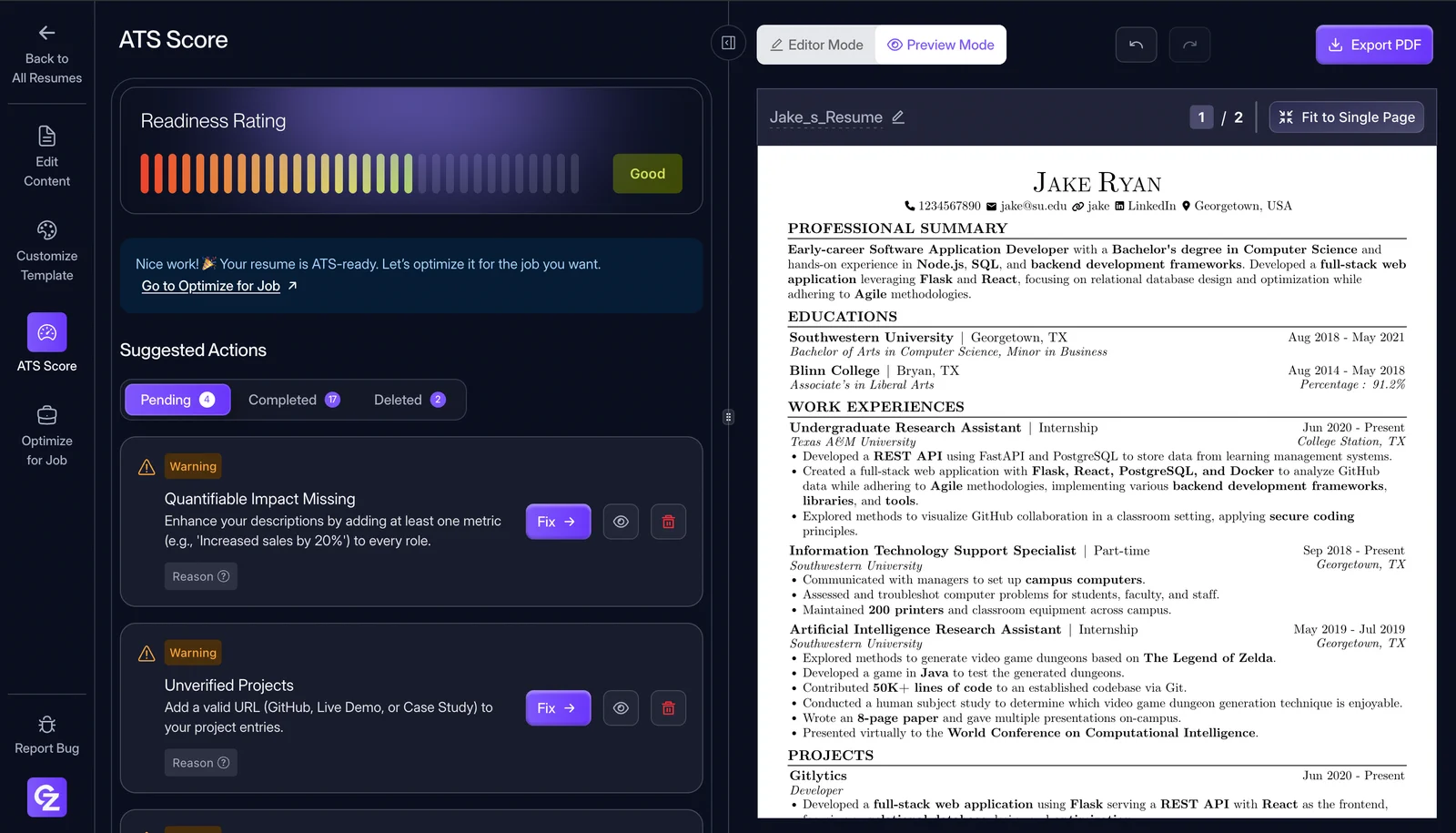
The editor is built around a one-page resume, which is what most recruiters in India expect from a fresher. If your content spills over, Fit to Single Page tightens the layout for you.
Paste a job description and Job Optimisation shows which of its keywords your resume is missing. Improve with AI rewrites your bullet points using only what you've written, so it won't add numbers or experience you don't have. The ATS Score view shows how an applicant tracking system reads your resume and lists what to fix.
The templates are all single-column. That's a small choice compared with Canva, but each one parses correctly in an ATS. There's also a community section where candidates share their interview experiences.
Limitations: if you want a graphic-heavy resume, CareerZenith's templates won't give you that. Use Canva instead.
2. FlowCV: best if you only need one resume
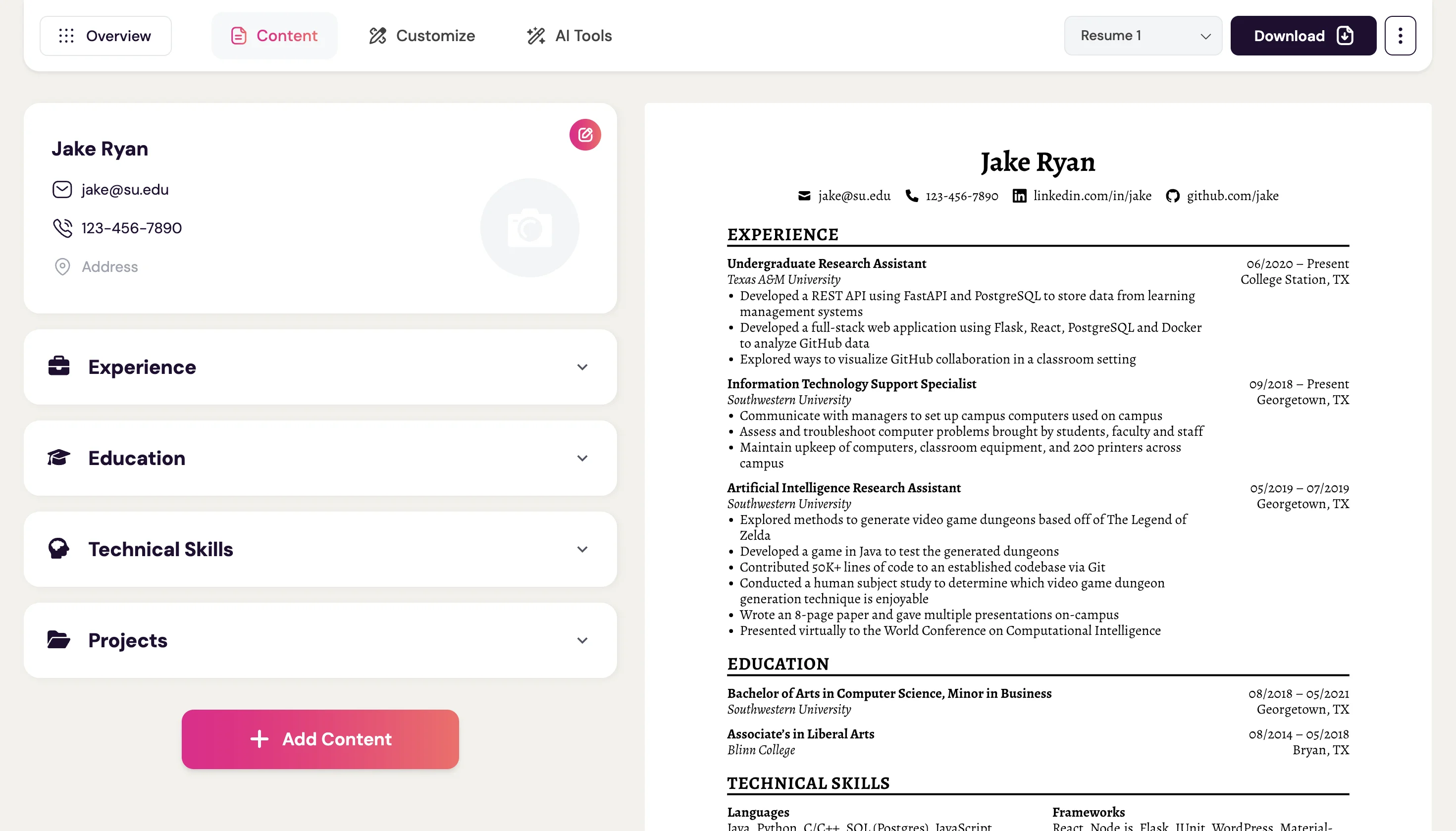
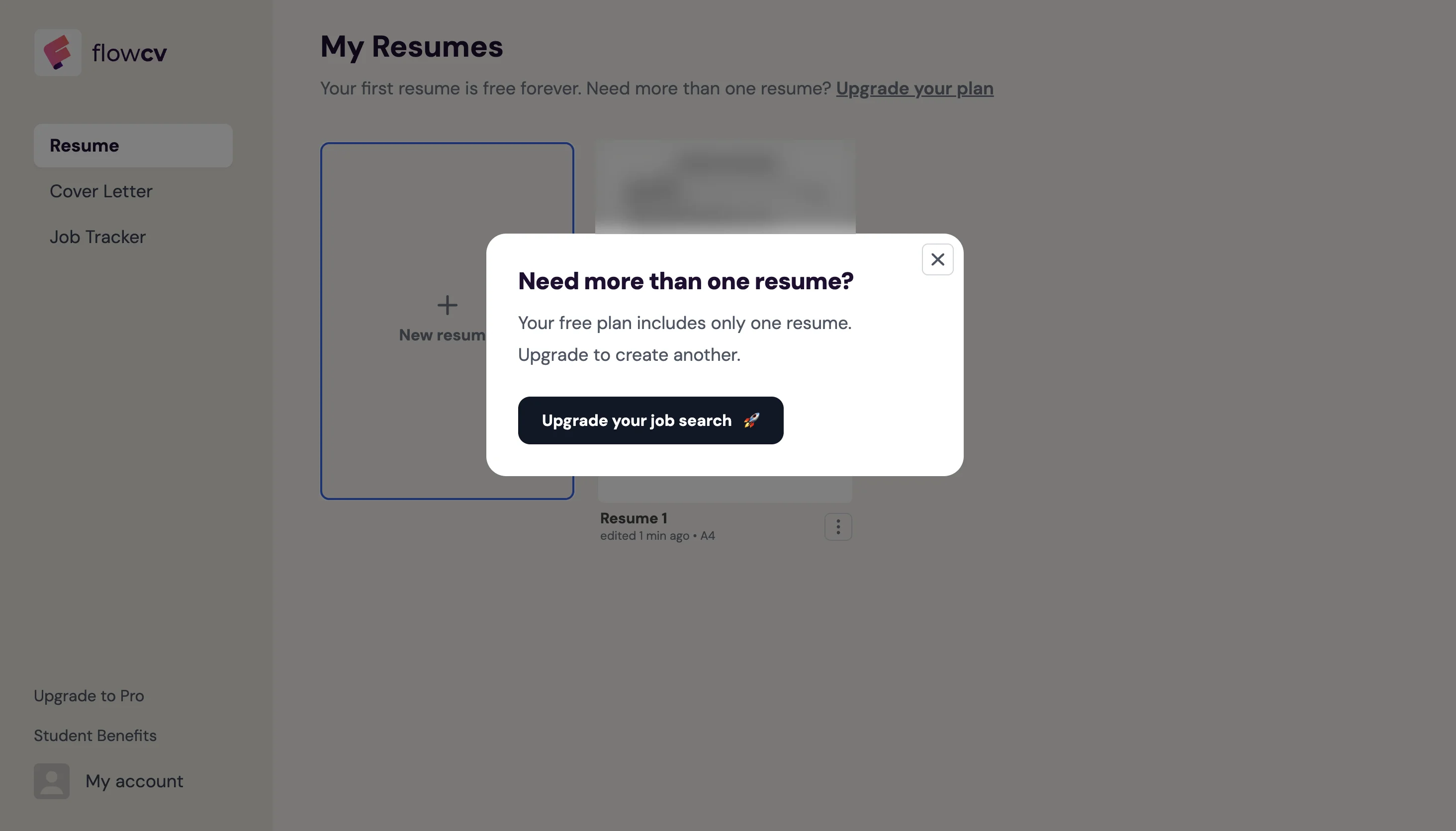
FlowCV's free plan is one of the most generous I tested: one resume and one cover letter, unlimited PDF downloads with no watermark, and every template. You only need Pro if you want separate versions for different roles.
Good for: anyone who needs one resume and doesn't plan to tailor it for each job.
3. Reactive Resume: best fully free, open-source option
Reactive Resume is open source with no paid tier at all. You can export to PDF or JSON, share a public link, password-protect your resume, and even host it on your own server.
The catch is ease of use. The editor is a set of form fields, section ordering and layout settings, which takes some getting used to if it's your first resume. In my test, the default layout ran about 31 lines onto a second page, and fixing that took manual adjustments. There's no ATS scoring either.
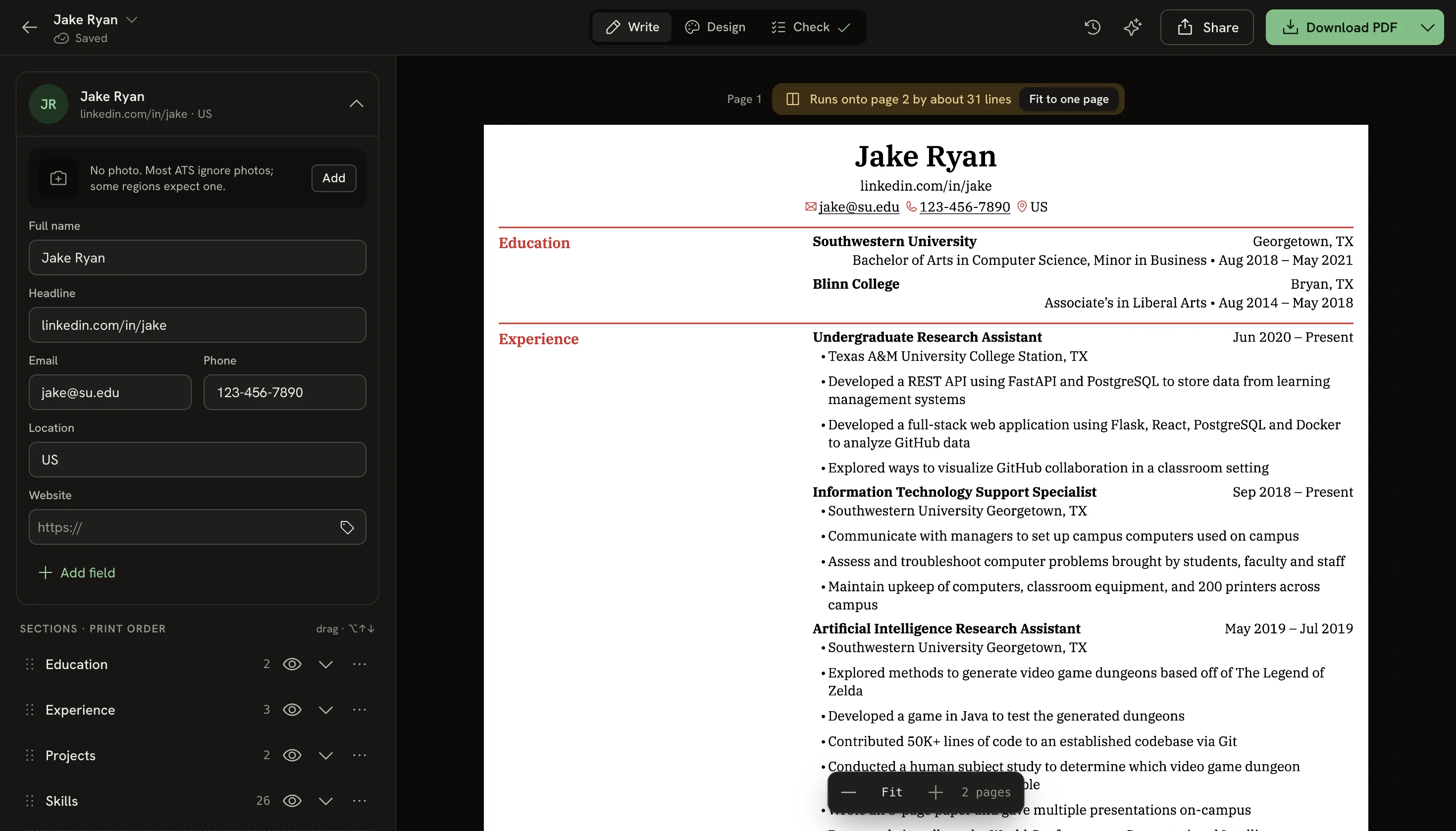
Good for: developers and privacy-conscious users who don't mind a hands-on tool.
4. Canva: best for design-led roles
Canva lets you download a resume PDF for free and has a huge template library. It's built for design, though, so there's no way to import an existing resume or fill in guided fields. You type over the sample text one box at a time.
Canva layouts also tend to break in an ATS. Columns, icons, shapes and text boxes are often misread, so a resume that looks good on your screen can reach a recruiter scrambled. Premium templates need Canva Pro.
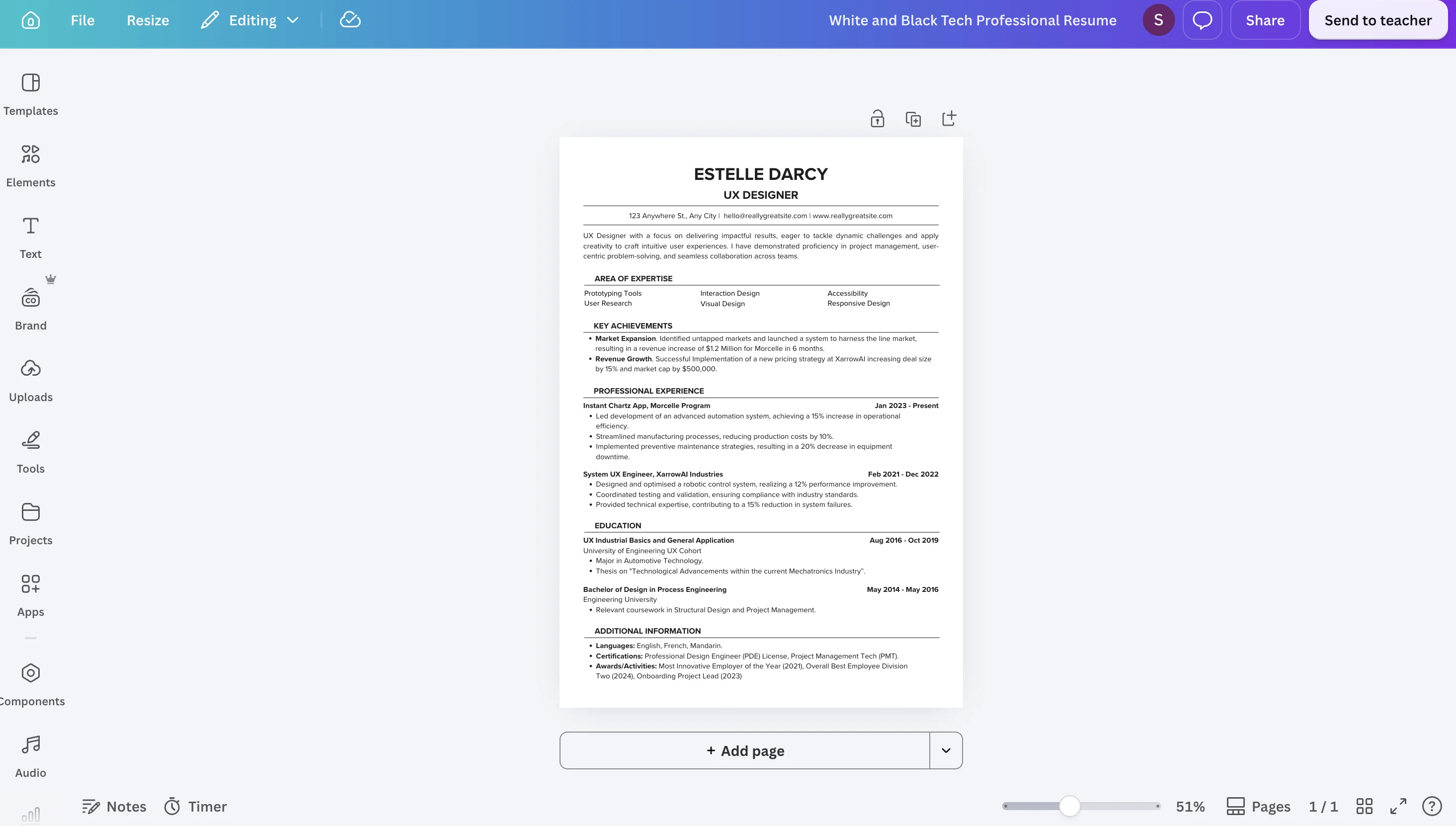
Good for: design, media and marketing roles where you email the resume to a person instead of uploading it to a job portal.
5. Overleaf (LaTeX): best for CS students who know LaTeX
Many CS students build their resume on Overleaf with the Jake's Resume template. The output reads well in an ATS, but you need to write LaTeX. Every heading, margin and date is a command, so moving one section means editing code and recompiling. Since July 2025, the free plan also caps compile time at 10 seconds.
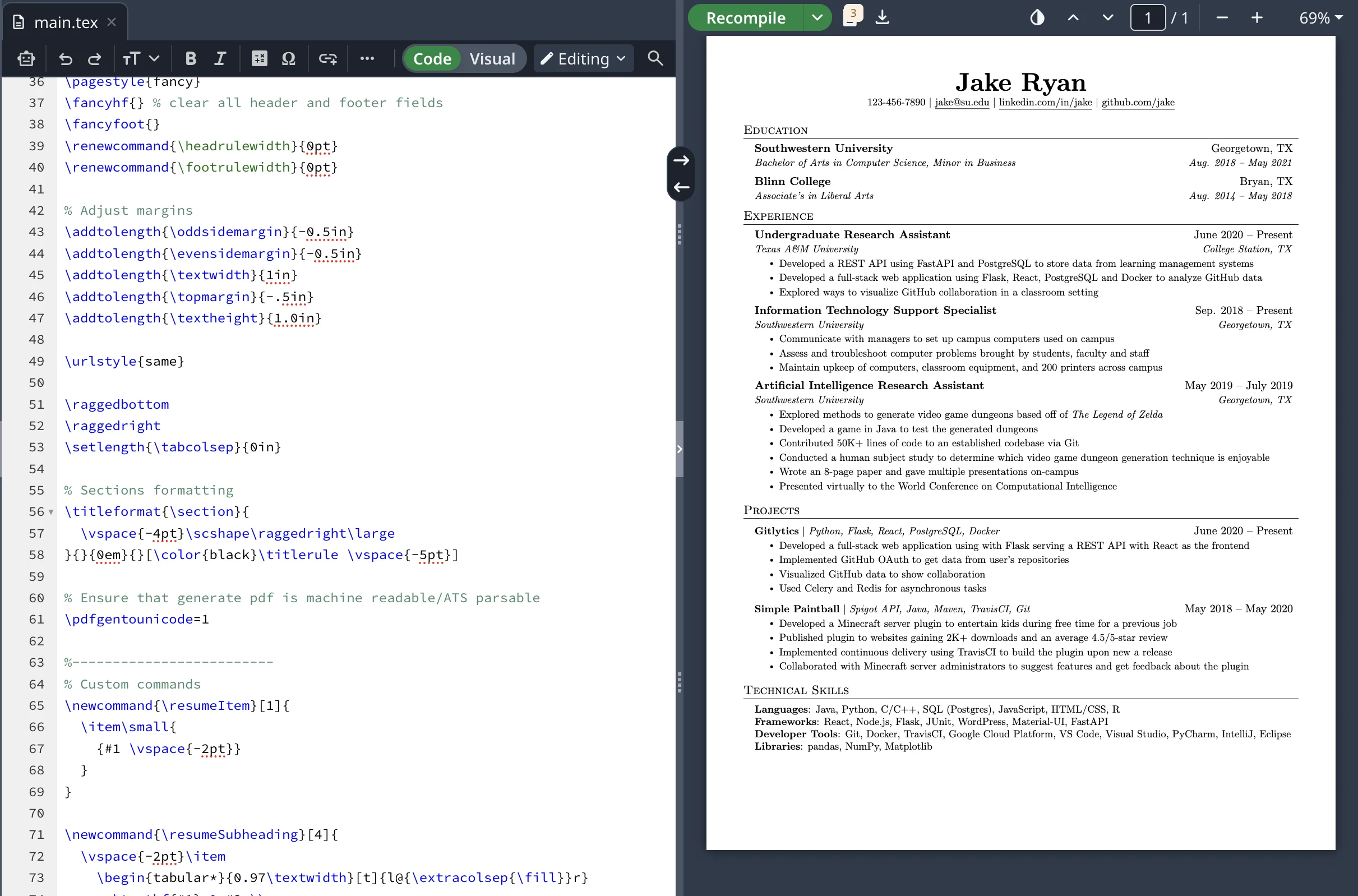
Good for: students who already know LaTeX and want the standard tech-resume format.
6. Novorésumé: fine for a first one-page resume
Novorésumé's free Basic plan lets you build and download one resume as a PDF. It's limited to one page with predefined layouts, and there's no cover letter.
Good for: students writing a first resume that fits on one page anyway.
7. Zety: free to build, paid to download
Zety guides you well, with suggested phrases and a resume check. On the free plan, though, you can only download a plain TXT file. A formatted PDF needs a paid plan: a 14-day trial that then renews at $25.95 every 4 weeks.
Good for: people willing to pay for guided writing. In practice, it isn't a free option.
8. Resume.io: free to build, paid to download
Resume.io's free plan includes one resume and one cover letter, downloadable only as TXT. PDF and Word downloads need a paid plan that starts with a $2.95 7-day trial and renews automatically unless you cancel.
Good for: people who plan to pay and will remember to cancel the trial.
Which free resume builder should you pick?
Start with where you're sending the resume.
| If you are… | Use | Why |
|---|---|---|
| A fresher or professional applying through job portals | CareerZenith | Free PDFs, ATS score and one-page layout |
| Tailoring your resume for every job | CareerZenith | Job Optimisation matches each version to the job description |
| Applying to one kind of role with one resume | FlowCV | Unlimited free PDFs of one resume |
| A CS student comfortable with code | Overleaf or Reactive Resume | Standard tech format, free |
| Applying for design or media roles | Canva | Visual templates, free PDF |
| Planning to pay for a premium builder | Zety or Resume.io | Strong templates; read the trial terms first |
Whichever tool you use, keep the resume single-column, use standard headings (Education, Experience, Projects, Skills) and export a text-based PDF. Applicant tracking systems read that format most reliably.
Frequently asked questions
CareerZenith. It is free for everybody, freshers and working professionals alike, with unlimited resumes, unlimited editing and unlimited PDF downloads. There is no trial, no watermark and no paywall at download. FlowCV is a good alternative if you only need one resume.
You can build a resume on Zety for free, but downloading a formatted PDF needs a paid plan ($25.95 every 4 weeks after a 14-day trial). The free download is a plain TXT file.
Yes. CareerZenith is completely free for everyone. There's no paid plan, trial or watermark, and no limit on how many resumes you build or how often you download them.
No. CareerZenith works for freshers, students and experienced professionals. Professionals use job optimisation to tailor one master resume to each role they apply for.
Yes. CareerZenith's templates use clean, single-column structures that applicant tracking systems read correctly, and its ATS score shows how a system parses your resume and what to fix.
Yes. You fill in your details once, and the editor handles layout and structure. Job optimisation and Improve with AI cut the time spent rewriting a resume for each application.
No, and that is deliberate. CareerZenith offers a small set of minimal, well-structured templates that recruiters and ATS expect, rather than many decorative designs that look good but parse poorly.
Yes. The editor makes it easy to fit your resume on one clean page with Fit to Single Page, which is the standard for freshers and preferred by most recruiters for experienced roles too.
For freshers and anyone with under about five years of experience, one page is the norm in Indian campus and off-campus hiring. Recruiters spend seconds on a first scan, so a second page rarely gets read.
Often not well. Multi-column layouts, icons and text boxes can come out jumbled. If you're applying through a job portal, use a single-column template.
No. Improve with AI only rewrites the content you've entered and doesn't add achievements or numbers.
Why CareerZenith is my top pick
Several of these tools are good products, but they charge for the parts students need most. Zety and Resume.io lock the PDF behind a subscription, and Novorésumé stops at one page. CareerZenith includes PDF downloads, ATS scoring, job tailoring and AI rewriting on its free plan, which is why it ranks first here.

Written by
Sanskriti Srivastava
Product Manager
Sanskriti Srivastava is a Product Manager at CareerZenith.